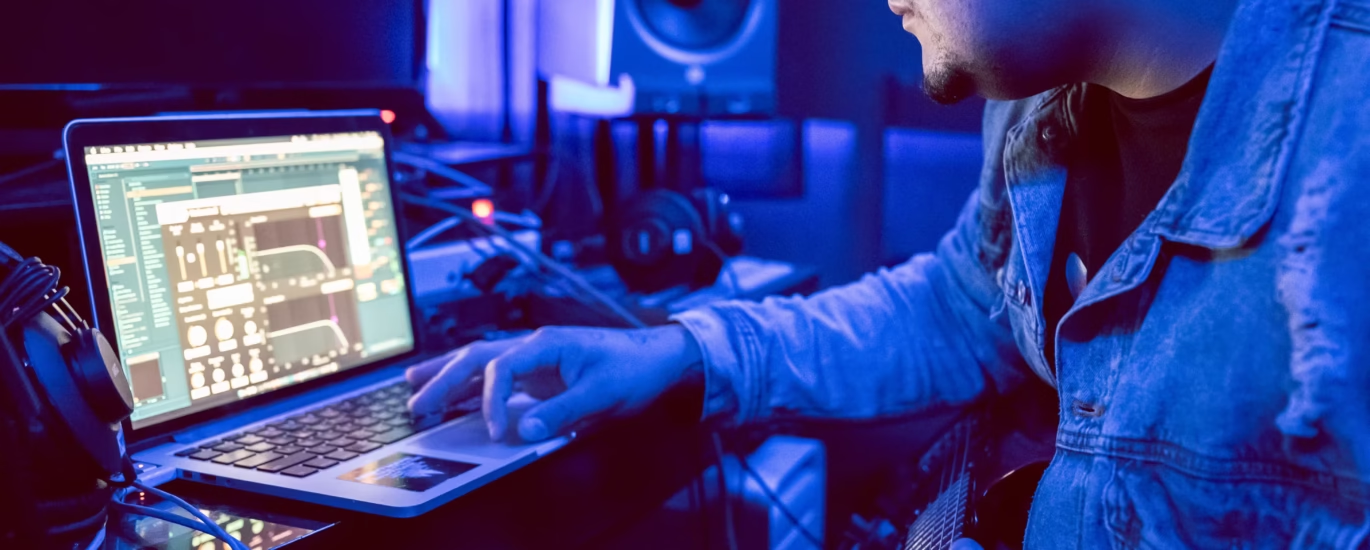
Producing Hardbass is a unique technical challenge. Unlike ambient music or stripped-down tech-house, Hardbass requires surgical precision at blistering speeds. When you are operating at 160 Beats Per Minute (BPM), the gap between your heavy kick drum and your off-beat metallic “donk” is roughly 187 milliseconds. If your workflow is clunky, or if you cannot manipulate complex FM synthesizers and distortion racks quickly, that bouncy rhythm easily devolves into a muddy wall of noise.
To achieve that crisp, aggressive Eastern European sound, you need a Digital Audio Workstation (DAW) that excels at three things: rapid MIDI programming, flexible third-party plugin support, and aggressive native audio effects.
While theoretically, you can make electronic music on any software, the Hard Dance and Hardbass scenes are dominated by a select few workstations that perfectly complement high-BPM production. If you are ready to craft your first club-shaking track, here is the definitive guide to choosing the best DAW for hardbass and high-tempo electronic dance music.
Top Contender: FL Studio (The Hard Dance Champion)
If you look at the studio screens of top Hardbass, Hardstyle, and UK Hardcore producers, the vast majority are staring at FL Studio. Originally known as FruityLoops, this DAW has become the undisputed king of hard dance music for several reasons.
- The Ultimate Piano Roll: Hardbass relies on tightly programmed, repetitive 16th-note MIDI sequences for both the synth stabs and the donk bassline. FL Studio is universally praised for having the most intuitive, fluid, and fastest Piano Roll in the industry. Drawing in complex off-beat rhythms takes seconds.
- The Step Sequencer: Creating the relentless “four-on-the-floor” 909 kick drum pattern is instantaneous using FL Studio’s classic channel rack step sequencer.
- Native Distortion: FL Studio comes packed with native plugins like Fruity WaveShaper and Fruity Fast Dist, which are legendary in the hard dance scene for absolutely destroying and crunching kick drums into aggressive, festival-ready weapons.
- Verdict: For beginners and seasoned Hardbass producers alike, FL Studio offers the fastest route from an empty project to a bouncing 160 BPM track.
The Innovator: Ableton Live (The Sound Designer’s Playground)
While FL Studio rules the MIDI world, Ableton Live is the industry standard for extreme sound manipulation and audio warping, making it a brilliant choice for producing modern, complex Hardbass.
- Audio Warping and Racks: Ableton Live allows you to manipulate audio samples (like vocal chants or heavy drum loops) with unparalleled speed. Its “Audio Effect Racks” allow you to stack multiple instances of saturation, EQ, and compression into a single customizable chain—perfect for designing the complex layers of a modern Hardbass donk.
- Fast Automation: High-speed music requires rapid automation (e.g., quickly sweeping the pitch or filter on a synthesizer to create a transition). Ableton’s automation drawing tools are fast and keep the project timeline incredibly organized.
- Native Synthesizers: Ableton Suite includes Operator, one of the most powerful and easy-to-use FM synthesizers on the market. Since the Hardbass donk relies entirely on Frequency Modulation, having Operator natively integrated means you do not necessarily need to buy expensive third-party VSTs to get that metallic sound.
- Verdict: If you prefer working directly with audio samples rather than MIDI, or if you plan to perform your tracks live, Ableton Live is unmatched.
Other Notable Mentions
- Logic Pro (Mac Only): If you are in the Apple ecosystem, Logic Pro is an absolute powerhouse. It offers incredible value, coming with a massive library of native synthesizers (like Alchemy) and stellar mixing plugins. While its MIDI piano roll is slightly slower than FL Studio, its audio engine and professional mixing environment are top-tier.
- Studio One: A rising star in electronic music. Studio One combines the fast drag-and-drop workflow of Ableton with a traditional mixing console feel. It is highly efficient for arranging massive projects but has a slightly steeper learning curve for absolute beginners.
Hardware System Requirements for High-BPM Production
Your DAW is only as powerful as the computer running it. Hardbass production is notoriously taxing on your computer’s CPU.
When you start stacking multiple instances of third-party FM synthesizers (like Xfer Serum or NI FM8) to build your basslines, routing them through heavy distortion plugins, and applying aggressive sidechain compression to every channel, a weak laptop will stutter and freeze.
For a seamless production experience, a modern desktop configuration featuring an Intel Core i5-12600K processor paired with 32 GB of RAM provides the ideal sweet spot, easily handling heavy plugin loads without dreaded audio dropouts. Furthermore, staring at dense, 160 BPM timelines with dozens of audio tracks requires significant visual space; pairing your workstation with a 2K monitor gives you the necessary screen real estate to arrange and edit your track without constantly zooming and scrolling.
Essential Third-Party Plugins for Hardbass
Regardless of which DAW you choose, you will eventually want to expand your arsenal with the tools the pros use. Make sure your chosen DAW supports VST3 plugins, as you will likely need:
- Xfer Serum: The absolute industry standard for wavetable and FM synthesis. 90% of modern Hardbass donks and hardstyle leads are synthesized in Serum.
- CamelCrusher (or FabFilter Saturn): Crucial for applying gritty, digital distortion to your kick drums and basslines.
- Kickstart 2 (by Nicky Romero): At 160 BPM, manual sidechain compression can get messy. Kickstart provides instant, volume-ducking sidechain shapes that lock your donk bass perfectly to the off-beat, keeping the groove tight and punchy.
Selecting the best DAW for hardbass ultimately comes down to your personal workflow preferences.
If your goal is to draw melodies quickly, build fast drum patterns, and get your ideas out instantly, FL Studio is the undisputed champion of the Hard Dance genre. If your priority is mangling audio samples, creating complex custom effect chains, and sound design, Ableton Live offers an unparalleled creative canvas.
Both DAWs offer free trial versions. Download them, set the project tempo to 160 BPM, load up a kick drum and an FM synth, and see which interface makes it easier for you to build that signature Hardbass bounce.